
Online gaming has changed significantly over the years. In the past, playing mobile games usually required downloading an application, installing it, and waiting for updates before starting. Today, many games can be played directly through a mobile browser. This development has made gaming more convenient, especially for people who want entertainment without using additional phone storage. But can online Android games really work without downloading anything?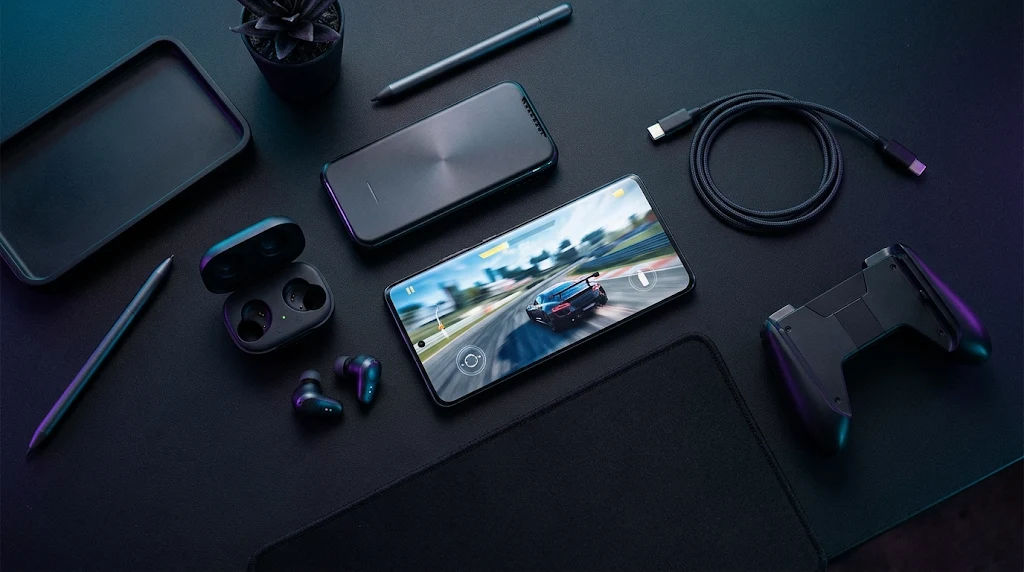
The answer is yes. Many Android games are designed to operate through web browsers such as Chrome, Firefox, and other modern mobile browsers. These games use technologies that allow players to access interactive experiences without installing a separate application. Browser gaming can be particularly useful for people with limited storage or older smartphones. Understanding how these games work, what features they offer, and what limitations they have can help players make better choices.
Online Android Games Without Downloads
Online Android games without downloads are games that OPEN88 directly through an internet browser. Instead of installing an application from an app store, users visit a gaming website and start playing through the browser.
These games are commonly known as browser-based games or web games. They use technologies such as HTML5, JavaScript, and WebGL to display graphics, process player actions, and provide interactive experiences.
The browser acts as the platform where the game operates. It handles the game's interface, animations, sounds, and other essential features.
Unlike traditional Android applications, browser games generally do not require permanent installation. However, some may temporarily store information in browser memory or cache to improve performance.
How Browser-Based Android Games Work
Browser games operate through a combination of web technologies. When someone opens a gaming website, the browser requests the necessary files from the website's server.
These files may include graphics, animations, sound effects, game instructions, and programming elements.
Once the required information loads, the browser processes it and displays the game on the screen. Players can interact with the game using touchscreen controls.
The process usually involves three main stages:
-
Loading: The browser retrieves the game files from the website.
-
Processing: The browser runs the programming instructions and displays the game.
-
Interaction: Players use touchscreen controls to participate in the gaming experience.
This process makes it possible to enjoy many games without downloading a separate application.
Do These Games Require Internet Access?
Most browser-based games require an active internet connection because their content is delivered through online servers.
However, some simple web games can continue working after their essential files have loaded. Certain games also support offline functionality through technologies such as service workers and browser caching.
The availability of offline play depends on how the developer has designed the game.
Types of Android Games That Work Without Downloading
Not every browser game offers the same experience. Different categories are designed to provide different types of entertainment.
Understanding these categories makes it easier to find games that match your interests and device capabilities.
Puzzle and Brain Games
Puzzle games are among the most common browser-based gaming options. They usually have relatively simple graphics and straightforward controls.
Examples include number puzzles, word games, matching challenges, and logic-based activities.
These games generally require fewer system resources than graphically demanding games. As a result, they can work smoothly on many Android devices.
Puzzle games can also provide an enjoyable way to practise problem-solving and logical thinking.
Racing Games
Some racing games can operate directly through mobile browsers. They allow players to control vehicles, navigate tracks, and complete different challenges.
Browser racing games vary considerably in quality. Basic versions may feature simple graphics, while more advanced games can include detailed environments and animations.
A stable internet connection and a reasonably capable phone can improve the overall experience.
Arcade Games
Arcade games are another popular category for browser-based entertainment.
They often feature short levels, simple objectives, and easy-to-understand controls. Players may need to collect objects, avoid obstacles, or achieve a particular score.
Because many arcade games have relatively lightweight designs, they are suitable for devices with limited processing power.
Strategy Games
Some strategy games are also available through browsers. These games involve planning, decision-making, resource management, and completing objectives.
Browser-based strategy games can offer longer gaming sessions than simple arcade experiences.
Their performance depends on the complexity of the game and the capabilities of the smartphone.
Benefits of Playing Android Games Without Downloads
Playing games directly through a browser offers several advantages. These benefits are particularly relevant for users who want convenient entertainment without installing additional applications.
Saves Phone Storage
One of the biggest advantages is reduced storage usage.
Traditional mobile games can require considerable storage space. Large games may include high-resolution graphics, sound files, maps, and additional downloadable content.
Browser games generally avoid requiring a permanent application installation.
Although they may still use temporary storage for cached files, they usually require less permanent space than many full mobile applications.
This can be helpful for people whose smartphones have limited internal storage.
Quick and Convenient Access
Browser games can often be accessed within seconds.
Users simply open their preferred browser, visit a suitable gaming website, and select a game.
There is no need to visit an application store, download an installation package, or complete a separate installation process.
This convenience makes browser gaming suitable for short entertainment sessions.
No Manual Application Updates
Traditional Android applications sometimes require updates before users can access new features or continue playing.
Browser games can receive updates directly through their websites.
When developers update their game files on the server, visitors may automatically receive the latest version when they open the game again.
This reduces the need for manual update management.
Suitable for Different Android Devices
Many browser games are developed to support different screen sizes and device capabilities.
Responsive web design allows gaming interfaces to adjust to smartphones and tablets.
However, compatibility is not guaranteed. Older browsers or devices may struggle with advanced graphics and complex game features.
Requirements for Playing Games Without Downloading
Although browser gaming does not require traditional installation, certain basic requirements must be met.
A Compatible Web Browser
A modern browser is one of the most important requirements.
Google Chrome is widely used on Android devices and supports many technologies needed for browser gaming.
Other updated browsers may also support web games.
Using an outdated browser can cause problems with loading, controls, animations, and compatibility.
Keeping the browser updated can improve security and performance.
A Stable Internet Connection
Many online games depend on communication with remote servers.
If the internet connection becomes unstable, the game may load slowly or stop responding.
A reliable Wi-Fi connection or stable mobile data connection can reduce interruptions.
Internet speed requirements vary depending on the game's design. Simple puzzle games may need very little bandwidth, while multiplayer experiences can require more consistent connectivity.
Sufficient Device Memory
Browser games do not require permanent installation, but they still use device memory while running.
Games with detailed graphics and complex animations may consume more RAM.
If several applications are running simultaneously, the browser may have fewer resources available.
Closing unnecessary applications can sometimes improve performance.
An Updated Android Operating System
Android updates can improve browser compatibility, security, and general device performance.
Older operating systems may not support certain modern web technologies.
Although many basic browser games work on older phones, advanced experiences may require newer software.
How to Start Playing Android Games Without Downloading
Starting a browser game is usually straightforward.
The process does not require advanced technical knowledge.
Step 1: Open a Mobile Browser
Start by opening a trusted browser on your Android smartphone.
Make sure it is updated to a recent version. This can help prevent compatibility problems.
Step 2: Find a Reliable Gaming Website
Search for a reputable website that offers browser-based games.
Check the website's reputation and security before opening unfamiliar gaming pages.
Avoid websites that display suspicious advertisements, unexpected downloads, or requests for unnecessary personal information.
Step 3: Select a Suitable Game
Choose a game that matches your interests and device capabilities.
If your phone has limited processing power, starting with a simple puzzle or arcade game may provide a smoother experience.
Step 4: Allow the Game to Load
After selecting a game, give the browser enough time to retrieve its required files.
Loading speed depends on internet connectivity, server performance, and game complexity.
Avoid repeatedly refreshing the page while the game is loading.
Step 5: Use the Touchscreen Controls
Once the game becomes available, follow the instructions displayed on the screen.
Most mobile browser games use touchscreen buttons, tapping, swiping, or other simple gestures.
Some games also support external controllers, although compatibility varies.
Do Browser Games Use Phone Storage?
A common misunderstanding is that games without downloads never use phone storage.
In reality, browser games can use temporary storage even when they do not require installation.
When a player opens a game, the browser may save certain files to its cache. These files can include images, scripts, audio, and other resources.
Caching helps websites load faster during future visits.
Understanding Browser Cache
Browser cache is temporary storage used to keep website resources available.
For example, when someone opens the same gaming website again, the browser may reuse previously stored files instead of downloading everything again.
This can reduce loading time and internet usage.
However, cached files can gradually occupy storage space.
Users can manage browser storage through their Android browser settings.
Do Browser Games Save Progress?
Some browser games automatically save player progress.
They may use browser storage, cookies, or online accounts to remember previous activity.
Other games do not provide permanent progress saving.
If someone closes the browser or clears website data, locally stored progress may disappear.
Players should check whether a game offers account-based saving or cloud synchronization before relying on it for long-term progress.
Can Browser Games Work on Older Android Phones?
Yes, many browser games can work on older Android smartphones.
However, compatibility depends on the phone's processor, available RAM, operating system, and browser version.
Simple games are generally easier for older devices to handle.
Games with advanced graphics, large environments, or complicated animations may experience slower performance.
Choose Lightweight Games
Lightweight games are often a better choice for older smartphones.
Puzzle games, basic arcade experiences, and simple word games usually require fewer resources.
Starting with these categories can help users identify which games their devices can handle comfortably.
Keep the Browser Updated
An updated browser can improve compatibility with modern websites.
However, very old Android devices may no longer support the latest browser versions.
In such cases, some modern browser games may not work properly.
Avoid Running Too Many Applications
Running multiple applications at once can reduce available memory.
Closing unnecessary applications before opening a browser game may help the device operate more smoothly.
Common Problems With Browser-Based Android Games
Although browser games are convenient, users may sometimes experience technical problems.
Understanding common issues can make troubleshooting easier.
Games Not Loading
A game may fail to load because of an unstable internet connection, server problems, or browser compatibility issues.
Try checking the internet connection and refreshing the page once.
If the problem continues, reopening the browser or checking the website later may help.
Slow Game Performance
Slow performance can happen when the phone has limited memory or the game requires more processing power than the device can provide.
Closing unnecessary browser tabs and applications may improve performance.
Choosing a less demanding game can also help.
Touchscreen Controls Not Responding
Some browser games may not be properly optimized for mobile touchscreens.
Others may have compatibility problems with specific browsers.
Try rotating the phone if the game supports landscape mode or opening it in another updated browser.
Unexpected Browser Crashes
Browser crashes may happen when a game consumes too much memory.
Keeping the browser updated and limiting the number of open tabs can reduce the likelihood of these problems.
If a particular game repeatedly crashes, it may not be compatible with the device.
Are Online Android Games Without Downloads Safe?
Safety is an important consideration when using browser-based gaming websites.
Not every website offering free games is trustworthy.
Some websites may contain misleading advertisements, suspicious pop-ups, tracking systems, or harmful downloads.
Users should take basic precautions before playing.
Check Website Security
Look for HTTPS in the website address.
This indicates that the connection between the browser and website is encrypted.
However, HTTPS alone does not prove that a website is trustworthy.
It is also important to consider the website's reputation and overall behaviour.
Avoid Suspicious Downloads
A browser game should not normally require users to download unrelated files or install unfamiliar applications.
Be cautious if a website suddenly requests an APK file, browser extension, or unknown software installation.
Do not install files from unfamiliar sources simply to access a game.
Protect Personal Information
A simple browser game should not need unnecessary personal details.
Avoid providing sensitive information to unfamiliar gaming websites.
Be particularly careful with requests for passwords, financial information, identity details, or unnecessary account permissions.
Be Careful With Advertisements
Some free gaming websites depend on advertising to generate revenue.
However, excessive advertisements can make a website difficult to use.
Avoid clicking suspicious advertisements, fake download buttons, or messages claiming that your phone has a problem.
Browser Games Compared With Downloaded Android Games
Both browser games and downloaded applications offer different advantages.
Choosing between them depends on the user's preferences and device requirements.
Storage Requirements
Browser games generally require less permanent storage because they do not need a traditional application installation.
Downloaded games can require considerably more space, particularly when they contain large graphics packages and additional content.
Performance
Downloaded games can offer better performance because developers can optimize applications specifically for Android hardware.
Browser games depend on the browser environment, which may create certain limitations.
However, lightweight browser games can still perform very well.
Features
Downloaded applications often support advanced features, detailed graphics, offline modes, and deeper integration with device hardware.
Browser games are usually more convenient for quick access and simple entertainment.
Updates and Maintenance
Browser games can receive updates directly from their websites.
Downloaded applications generally receive updates through their distribution platforms.
Both approaches can work effectively when developers maintain their products properly.
Tips for Getting a Better Browser Gaming Experience
A few simple practices can improve the overall experience.
Use a Reliable Internet Connection
A stable connection reduces loading delays and interruptions.
For multiplayer games, consistent connectivity is particularly important.
Close Unnecessary Browser Tabs
Too many open tabs can consume memory and affect performance.
Keeping only essential tabs open can help the browser operate more efficiently.
Keep Enough Free Storage
Even though browser games do not require traditional installation, browsers still need some available storage for temporary files and website data.
Maintaining reasonable free space can help prevent general device performance problems.
Use Appropriate Screen Orientation
Some games are designed for portrait mode, while others work better in landscape mode.
Following the game's recommended orientation can improve visibility and controls.
Check Privacy Settings
Review browser permissions and avoid allowing unnecessary access to your microphone, camera, contacts, or location.
Only provide permissions when there is a clear reason and you trust the website.
The Future of Android Browser Gaming
Browser gaming continues to develop as internet technology improves.
Modern web standards allow developers to create increasingly interactive gaming experiences.
HTML5, WebGL, and WebAssembly have expanded what games can accomplish inside browsers.
Cloud gaming is another developing area. It allows some games to run on remote servers while video and control information are transmitted through the internet.
This approach can reduce the need for powerful local hardware, although it requires a reliable connection and suitable service availability.
Progressive Web Apps may also influence the future of mobile gaming. These applications can provide app-like experiences through web technologies.
Some Progressive Web Apps can be added to a device's home screen, and certain features may work offline.
However, they are not identical to ordinary browser games because some may offer optional installation-like functionality.
As mobile browsers become more capable, the difference between browser-based entertainment and traditional applications may become less noticeable.
Conclusion
Online Android games can absolutely work without downloading a separate application. Browser-based gaming provides a convenient way to enjoy entertainment directly through a mobile browser. Users can access different categories, including puzzle games, arcade games, racing experiences, and strategy games, without completing a traditional installation process.
The biggest advantages include reduced permanent storage requirements, quick access, fewer manual updates, and compatibility with many Android smartphones. These features make browser gaming particularly useful for people who want simple entertainment without installing large applications.
However, browser games still have certain requirements. Most need an internet connection, a compatible browser, sufficient device memory, and enough available storage for temporary files. Their performance also depends on the game's complexity and the capabilities of the smartphone.
Safety should remain an important priority. Players should choose reputable websites, avoid suspicious downloads, protect personal information, and review browser permissions carefully.
Ultimately, browser-based Android games provide a practical alternative to downloaded applications. They may not offer every feature available in traditional mobile games, but they deliver convenience and accessibility. By choosing compatible games and using trustworthy websites, Android users can enjoy a wide range of gaming experiences without filling their phones with additional applications.
